
Selecting a note template
First you will need to choose your base note template you want to use. See the Finding a note template topic if you need help with this.
Once you have a note template identified, click on the "Create Note" button.

Fill out the note
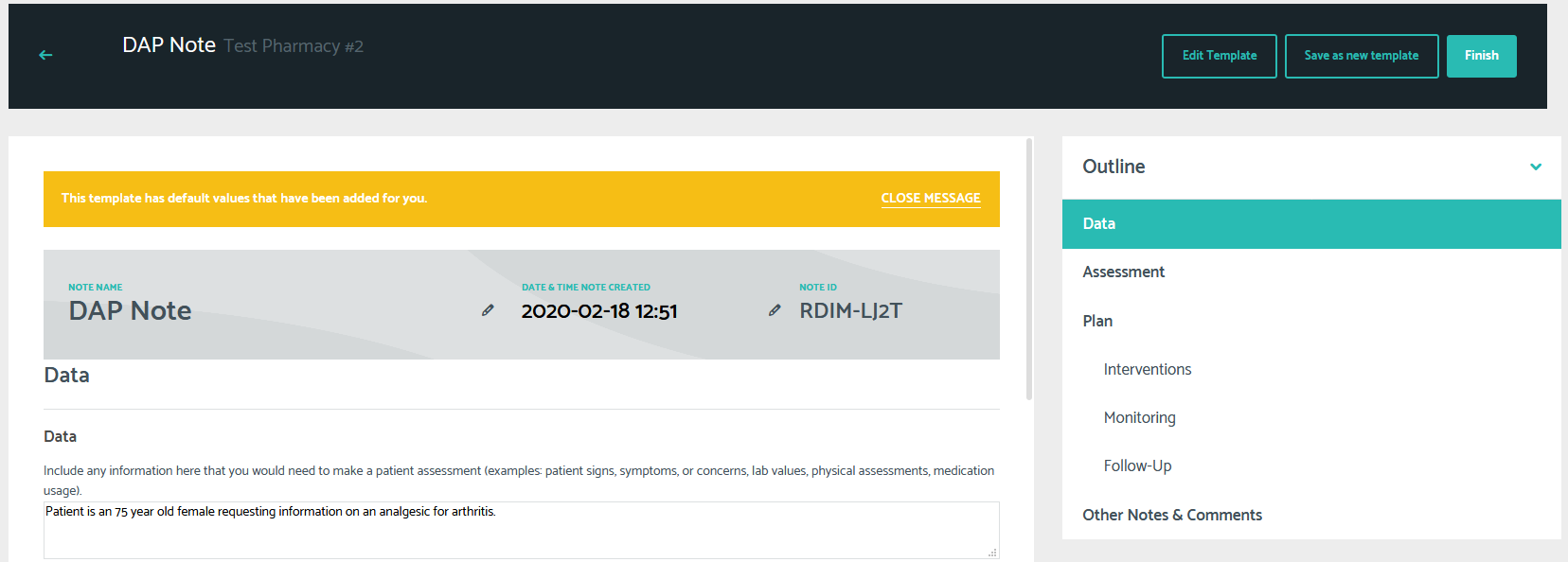
Once your note is selected, you can fill out your note with any of the relevant details. Like always, you only need to fill out the sections that are relevant to you and your patient. The system will automatically exclude anything you skip when generating your final note.
Generating your note
Once you have completed your note, you will click the "Finish" button.
You will then be able to choose how you want to output your content.
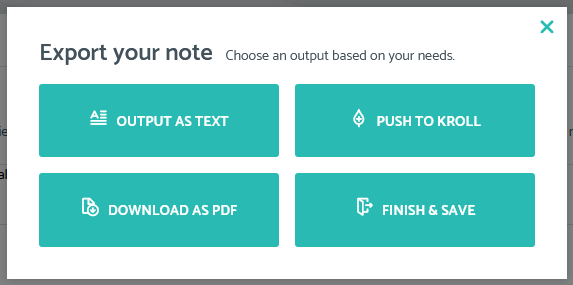
Currently the beta test supports:
- Output as text: generates your note as text that you can copy and paste to wherever you save your patient documentation
- Download as PDF: generates your note as a PDF that you can save and attach as a document to any documentation system that supports PDFs
- Finish & Save: saves your note and gives you the recovery code to retrieve it at a later time
The Push To Kroll functionality is currently under development and users will be notified when it is available.